

Kingdoms Map
Raiding caravans and secret operations
First, find the kingdom's current rival, then use his caravan as an entrance to the desired server.
Original images are preserved. Text within them remains in the original language.
Don't remember the server from screenshots. #243 is just an example. Before each login, check which kingdom is currently your server’s rival.
-
Find out the number of the rival server
On the home screen, tap the icon "War of the Kingdoms". The confrontation screen shows both servers. Remember your opponent's number: it is his caravans and secret operations that you need to look for.
In the example, our server is #244, the opponent is #243. In your confrontation the numbers may be different.
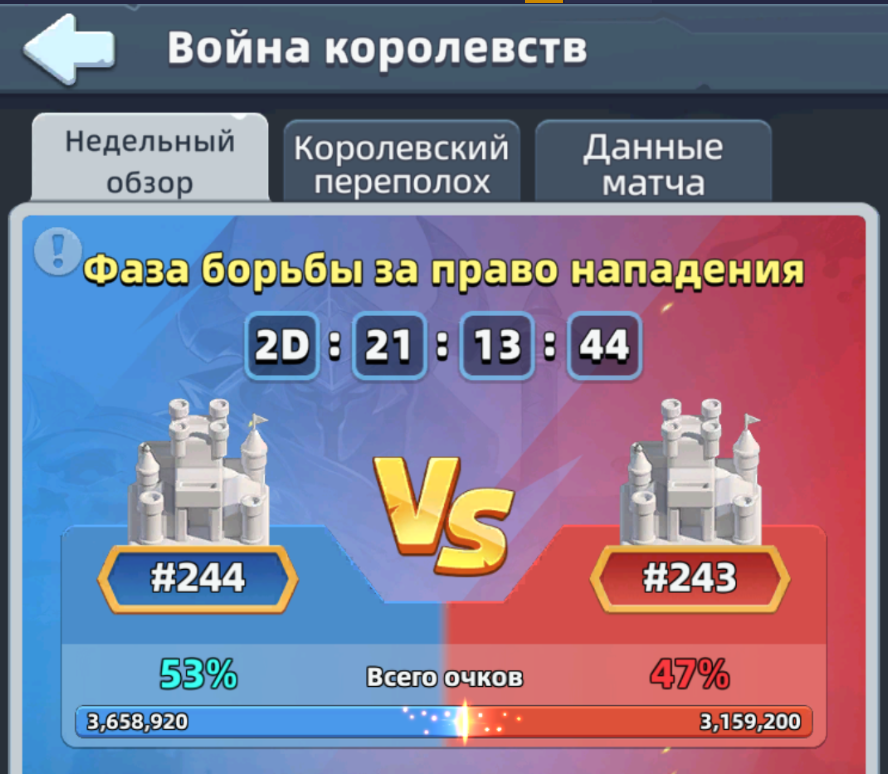
Look at the number in the red part of the screen - this is the opponent of the current confrontation. -
Open other people's caravans
Go to the caravans section through the cart icon and open the tab "Alien Caravan".
 Look for this icon in the menu.
Turn on this filter right away so you don’t accidentally rob your server and help your opponent with points. -
Find any caravan of the desired server
Consistently open other people's caravans until the number of the desired server appears in front of the owner's name. The level and loot of the first target are not important yet: this caravan is needed as a transition to the opponent’s map.
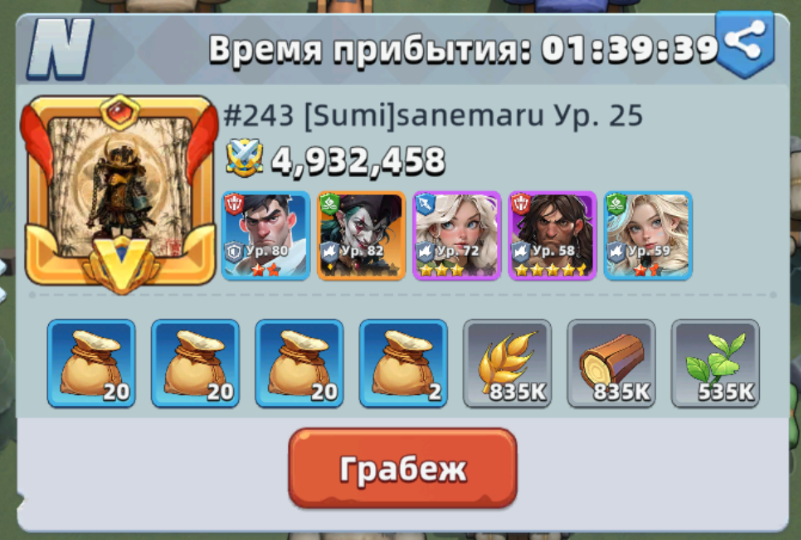
The server number is indicated before the player's name. The “Robbery” button transfers to his map. -
Stay on your opponent's map
Click "Robbery". Once on the desired server, tap an empty space on the map if you do not want to attack the first caravan, and zoom out. This will make other caravans visible.
Now choose suitable targets and commit the required number of robberies without leaving your opponent’s map.
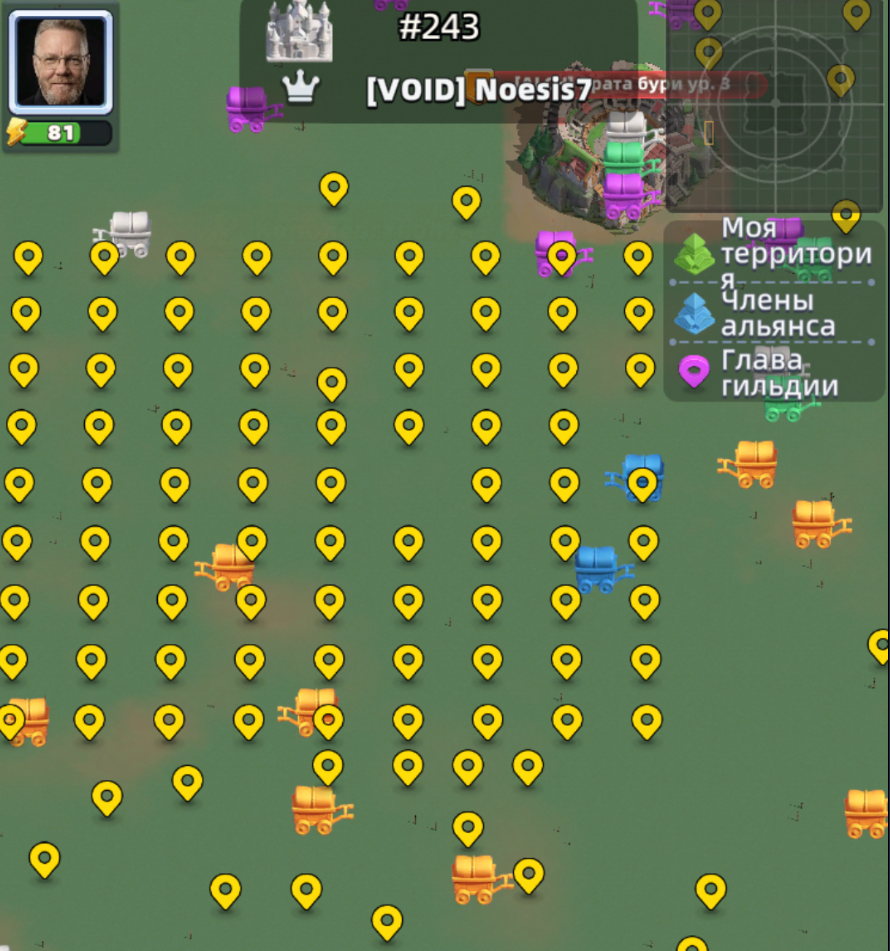
On a smaller scale, it is easier to compare available caravans and select a target. -
Switch to covert operations
Without leaving your opponent's map, zoom in. Covert operations look like colorful boxes. Click on them, compare the loot and choose the appropriate target.
Boxes appear and disappear as other players collect them. If the selected operation is missing, just find the next one.
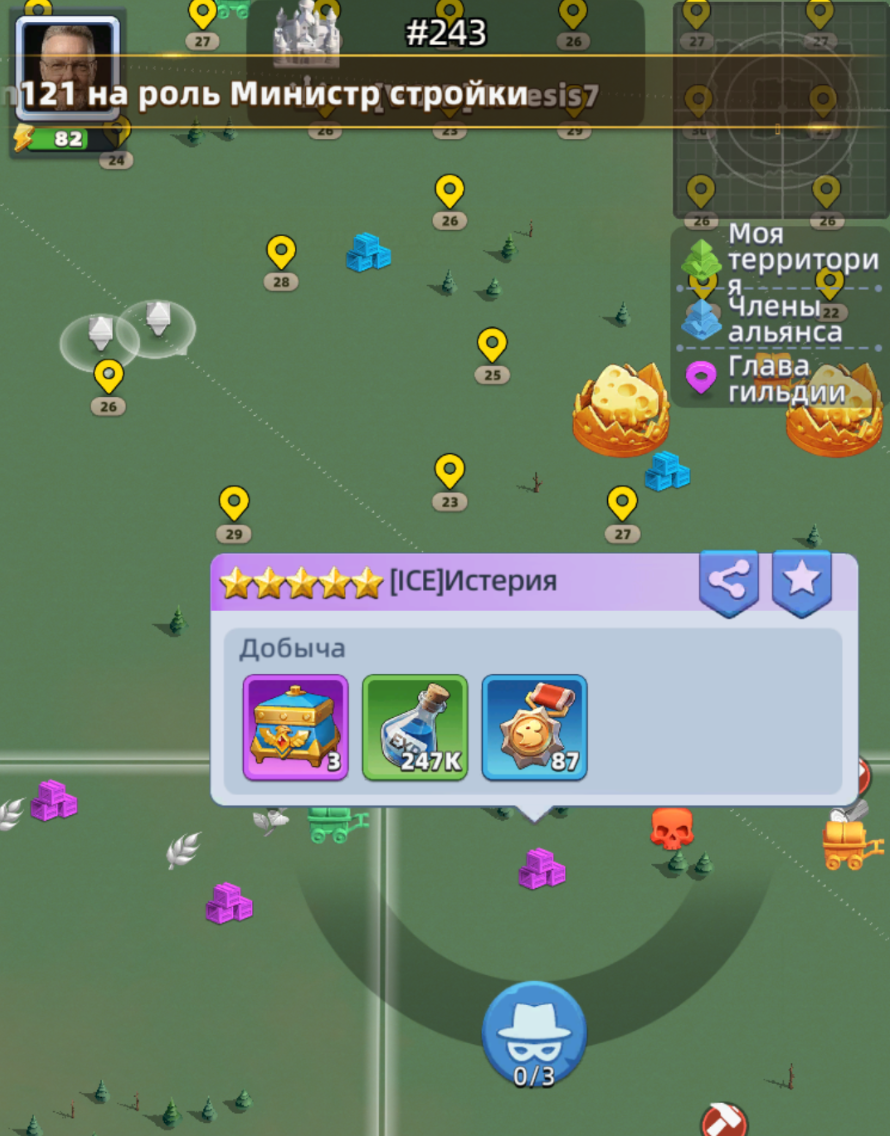
Multi-colored stacks and boxes on the map are available covert operations. -
Look for gold transactions and watch the timer
Gold covert operations provide the richest loot. Before looting, open the target and check the contents.
Sometimes a timer is displayed above the operation. It shows how long it will take for the target to become available for robbery: you can wait or continue the search.
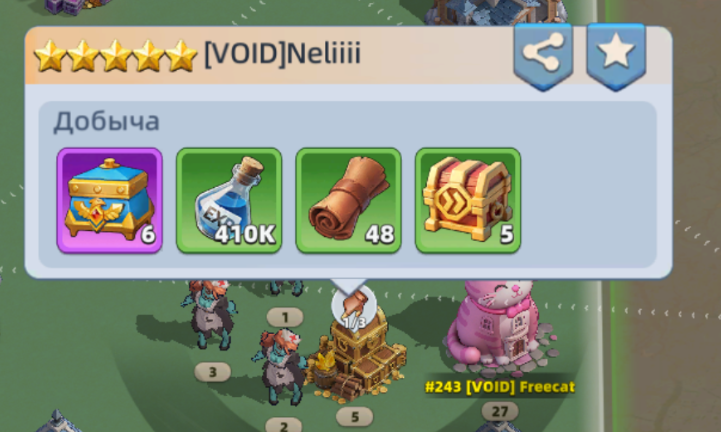
An example of a rich gold operation. 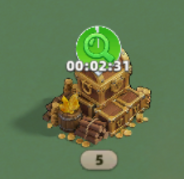
Timer until availability.
Day attempts: use them to your advantage
Don't waste your limited attempt on the first cart you come across. First check the server, quality and contents of the cargo.
Compare several available boxes and only then choose a target. Gold operations usually produce the richest loot.
Looting caravans and covert operations does not consume stamina and does not reduce daily loot from city attacks.
What to rob first
| Priority | Production | Why |
|---|---|---|
| High | Universal UR hero shards | A rare reward, useful for the development of key heroes. |
| Medium | Supplies with antidote and necessary scarce items | Help cover current development needs. |
| Low | Regular resources and alliance coins | Take them if there are no more valuable targets on the map. |
The golden caravan on the map is a UR quality caravan. But color does not negate cargo verification: the value of specific items is more important than rarity alone.
Research for a Burglar
- "Robbery." At maximum level, it gives a 50% chance to capture additional cargo upon victory.
- "The Mastery of Robbery" Increases the health, attack and defense of heroes during robbery - up to 15% at the maximum level.
- "Swift Caravan" Speeds up caravan movement by up to 25%.
- "Caravan Expansion" Increases transported cargo by up to 25%.
- "Additional caravan" Adds one caravan departure per day.
If the main goal is robbery: First develop “Robbery” and “Robbery Mastery”. Other technologies help your own shipments more.
Found a rich secret operation - press the button "Share" in the upper right corner of the card and select your alliance. The coordinates will appear in the chat, and allies will be able to quickly navigate to the target.
Common mistakes
- Search for server #243 without checking the current opponent: the number in the screenshots is just an example.
- Failure to enable your server's caravan ban and accidentally selecting the wrong target.
- Immediately evaluate the loot of the first caravan instead of first getting to the desired map.
- Leave your opponent's map after the first robbery and repeat the search for the server again.
- Look for covert operations on too small a scale or wait for a box that has already disappeared.
Rival → someone else's caravan → server number → “Robbery” → opponent's card → suitable caravans → covert operations.